
• expired

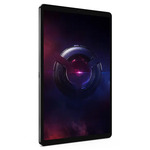
Lenovo Legion Tab 8" Legion Gen 3 Android Gaming Tablet $599 + Free Shipping @ Lenovo Education

80
TABSPECIAL
This post contains affiliate links. ChoiceCheapies might earn commissions when you click through and make purchases. Please see this page for more information.

Was browsing the Lenovo store and saw it on half price, currently $1,118.70 inc. GST at PB.

Processor
Qualcomm® Snapdragon™ 8 Gen 3 Processor (3.30 GHz )

Memory
12 GB LPDDR5X (Soldered)

Storage
256 GB UFS 4.0

Operating System
Android 14 or Later

Battery
2 Cell Li-Polymer 6550 mAh

Display
8.8" 2.5K (2560 x 1600), LTPS, Touch, 500 nits, 165Hz

Colour
Eclipse Black

Weight
0.35kgs / 0.77lbs

WIFI
802.11 a/b/g/n/ac/ax/be & Bluetooth® 5.4

AC Adapter / Power Supply
45W

Warranty
1 Year Courier Service

Camera
13MP AF + 2MP (Macro) FF Back + 8MP FF Front

Related Stores

Lenovo
Lenovo

Comments

Search through all the comments in this post.
  • +2
  • 5% code for new email may stack, (1-3% cashback is likely available at shopback)

  • +2

    Very good spec but that being Android and Lenovo being Lenovo it's highly likely the tablet won't receive any updates.

    Shame

    • Well… Lenovo says 3 major OS updates

      • Its already 2 behind, so if it gets 3 its really only 1

    • just go custom ROM. And depends on what you need it for.

      I have a Lenovo XiaoXin Pad Pro 2023 and 2025 model (very minor differences, like one uses Snapdragon while the other uses Mediatek). I have one rooted and the other stock (for Widevine L1 for Netflix) and it works great. It's one of the biggest tablets you can get on the market (12.7') and the screen is perfect for media consumption while on the go or just on the bed. Don't really use it for anything else, so couldn't care less about updates. Stability, good battery life and clean ROM is all I care about in this use case and this tablet delivers. Barely any bloatware, ROM is stable and running Android 15. The newer releases of Android just has small incremental features anyway and security updates aren't as big of a deal as you think, especially if you know IT at a high level.

      • For Xiaoxin Pad Pro do you recommend get a global version (no update) or a China version which have update available?

        • +1

          Well, firstly I need to clarify a few things:

          • Lenovo's tablet naming is terrible. My understanding is that "XiaoXin Pad" is the Chinese variant, whereas the Global variant is called "Idea Pad Pro". I had a quick look and I think the specs are exactly the same between the XiaoXin Pad Pro 12.7 2025 Chinese model (which I own, in addition to the 2023 model) and this Global model:
            https://www.harveynorman.co.nz/computers/tablet-and-accessor…

          Now, the same is true for other manufacturers like Xiaomi. For example, the Redmi K80 is the Chinese variant of Poco F7 Pro (or something like that). Some models made by some manufacturers will slightly differ in hardware specs. Typically speaking, if you buy a Xiaomi phone, the Chinese variant will usually have slightly better specs than their Global counterparts, and cheaper too.

          Speaking of the price, I bought my XiaoXin Pad Pro 12.7 2025 model from Aliexpress for about $385 NZD, which is much cheaper than the Global version linked above.

          • On most devices, regardless if it's global or Chinese variant, you can flash the official Global ROM or Chinese ROM on it, depending on your needs. For example, in the past I owned a Xiaomi phone that doesn't allow phone recording, which isn't the same as saying it doesn't support phone recording. However, the same phone being sold in other regions of the world DO allow phone recording, so all I had to do was re-flash the phone with the ROM of that region to get phone recording in the settings officially. Of course, you could achieve this with root and external software, but I digress. The point is, ROMs of different region may hide/unlock features you may or may not need. For Xiaomi phones, there's a long-running custom ROM group called xiaomi.eu and their ROMs are always based on the official MIUI or HyperOS, except that the ROM base is China, not Global. Their reason is that the China ROM base always gets the latest features and performance improvements. So in this case, ironically speaking it's actually better to stick to Chinese ROM on Xiaomi phones. The updates are more frequent (based on my experience) and as long as you know enough about Android and how to optimize and debloat it (it's honestly super easy and takes like 30 seconds, especially if you have automation apps like Tasker or MacroDroid with scripts that will apply time and time again for whatever device you own in the future), then it's really not a problem if you go with a Chinese ROM.

          Note that flashing a ROM of a specific region doesn't necessarily mean you flash the firmware of that region. You could for example flash the firmware of Global region, but the ROM itself would be China based. What this means is that your modem/baseband's firmware will be Global, which means it's better optimized and your signal strength and performance won't be affected. Typically speaking, flashing bluetooth/modem/baseband firmware of a different region (e.g. China) would mean you could potentially have certain issues, like access to certain bands just won't be possible because the firmware doesn't allow it or isn't supported, etc.

          • Having updates doesn't always mean it's a good thing either. On Windows, I typically wait a while (a few months) before installing the latest update, sometimes I don't even install for a year. On Android, I typically don't like to be on the latest Android version, or even the 2nd latest version. I use certain apps like MacroDroid which rely heavily on APIs allowed in Android and as Google releases newer versions with more "security" in mind, it means they remove certain APIs that a lot of devs disagree with, which makes the phone dumber but "safer" in their opinion. That then impacts power users like me, where MacroDroid or Tasker can't make use of APIs that used to be available in older Android versions, which then impacts my automations that rely on said APIs. For example, MacroDroid may use API v35 for disabling airplane mode, but on API v36 they remove this functionality, which means I can't disable airplane mode with MacroDroid. It's just a small example, but you get my point.

          So to answer your question, personally I would stick to the China version for my XiaoXin Pad Pro. The hardware itself is the Chinese model, which comes with the Chinese ROM, which still gives me updates every now and then (the last update was November 2025). And because my specific use case for this device is literally just media consumption on the bed or when I'm travelling (although now I use my foldable phone more for this purpose), I couldn't care less about getting updates on this device in general. It's running Android 15, it will last me many years before a new model with a new Android version comes out, at which point I'll most likely upgrade again. If not, I can always flash custom ROMs on it (to keep it up to date with the latest security updates or Android OS version). As I said previously, I own the 2023 and 2025 model and the 2023 model I've already rooted it, so flashing a GSI ROM or a dedicated custom ROM is easy at this point.

          The Chinese ROM all comes with English anyway. And you can easily get Google Play Services and Play Store running on the device. However, if you don't want the hassle and you don't care about paying a bit more for the Global version of the device (which may or may not have exactly the same specs, it's up to you to do your homework), then go for that instead. I don't own the Global variant of the tablet, so I can't speak to the "update frequency" of it.

          The other question you should be asking yourself is, what are you looking for specifically in the update(s)? New features? Security updates? etc. Certain manufacturers may release frequent updates, but the quality may be poor. Frequent updates by a vendor with a terrible record of providing good decent updates doesn't mean much, it could mean they're fixing bugs that shouldn't be there in the first place, which would beg the question of why even buy the device in the first place. For example, you'll find that Oppo and even OnePlus (I believe Chinse variants) use ColorOS. OnePlus is owned by Oppo if I recall. I used to love OnePlus when they first came out, but they've gotten worse and worse over the years, and ColorOS sucks massively in my opinion. The updates on both global and non-global versions of their device is very infrequent and the updates also don't add much anyway. Tons of bugs, battery drain issues, etc. I couldn't care less about their updates in general. Whereas some other manufacturers like Samsung will actually polish their updates for their phones, so the quality is better. As for Lenovo? Their updates don't typically release new features based on my experience and even if they do, I don't use them anyway. I don't use the stylus on the tablet, I don't link it to my PC and use PC mode or whatever it's called. I just use it for one single purpose, media consumption.

          • @NovaAlpha: Thanks for the detailed info mate. If I get a phone with the chinese ROM that doesn't have full support for all our bands (eg b28a instead of b28), could that be remedied by flashing the global ROM or firmware? I see good deals for these chinese rom phones but I am a bit spooked by the band support and not being able to run play integrity apps. If I could just flash to global and solve all these problems that'd probably seal the deal for me..

            • @CheapSkate69:

              I see good deals for these chinese rom phones but I am a bit spooked by the band support and not being able to run play integrity apps

              What do you mean by "play integrity apps"? Play Integrity is more about whether your phone is device certified/compliant and whether the security on your phone has been tampered with or not. This is only a problem if you unlock your bootloader and of course, if you have root on your phone (which relies on your bootloader being unlocked first).

              As for the band support thing, I've never run into this problem. This is quite a complex topic but I'll try my best to explain. In most cases, the missing band support isn't due to software, it's hardware.

              Let's say you're comparing Redmi K80 (Chinese variant) and Poco X7 Pro (Global variant). Redmi K80 will have HyperOS China ROM installed, whereas Poco X7 Pro will have HyperOS Global ROM installed. It doesn't mean that you can just flash the Global ROM on your Redmi K80 and it'll be exactly 1:1 like the Poco X7 Pro.

              Let's say Redmi K80's hardware supports the following bands:
              B20, B26, B28, B38

              And let's say Poco X7 Pro's hardware supports the following bands:
              B20, B26, B28, B28a, B38, B48

              Even if you flash the Global ROM on Redmi K80, it won't change anything because the hardware is limited to what bands it can support.


              However, let's assume that both phones have exactly the same hardware, i.e the same modem chip. Let's say they both support these bands:
              B20, B26, B28, B28a, B38, B48

              Let's assume in China, they use band B26 heavily and they don't care about B38 and B48.
              Let's assume that outside of China, most countries use B38 and B48 heavily.

              What Xiaomi could do with the firmware is heavily tweak and tune the performance and stability for those bands, depending on whether it's a China ROM or Global ROM. If China doesn't use B38 or B48, they could just use software to disable those bands to perhaps make the modem chip consume less power, by forcing it to not look for those signals. It's kinda like forcing your router to be on a specific channel or frequency, e.g. you might not care about 2.4Ghz and only use 5Ghz, so you could disable 2.4Ghz entirely on your router.

              In this case, sure both phones physically support those bands, but the firmware installed may be better tuned towards certain frequencies that are more widely used for XYZ country, or perhaps the firmware may be disabling certain bands not used at all for XYZ country.

              So, you could have a setup like this:

              • Redmi K80 (Chinese model/variant)
              • HyperOS China ROM
              • Global firmware

              Which basically means, your entire phone is the China variant, using a China ROM, but you're able to use basebands suited for Global regions.

              However, you really need to find out for yourself which of these 2 scenarios your phone falls under. The first thing to check is to look at specifications info sheet for your phone. Check the basebands and make sure they're supported on a hardware level. Then you could look at the software side.


              Just a note on firmware. You can think of it like a driver (like a graphics card driver for your AMD or NVidia GPU). The driver talks to your hardware such as your bluetooth, wifi, modem, etc. In most cases, official ROMs released by manufacturers will come with the firmware as well. In other words, when you flash HyperOS 3.0 (running Android 16), what's actually happening in the background is your phone is installing e.g. firmware 3.0 that's compatible with Android 16 and then it's flashing HyperOS 3.0 running on Android 16.

              I mention this because there may be situations where you get a Global variant phone, which comes with Global ROM and Global firmware. But you may want to flash a China ROM (which comes with China firmware) and that will overwrite your Global firmware. So the steps in which you flash the ROM and firmware is important. You may want to do something like:

              • Flash China ROM
              • Flash Global firmware

              In that order.

              However, if you're going down the custom ROM route, most of the time the firmware and the ROM are separate packages, which means if you flash just the custom ROM, it doesn't touch the existing firmware on your phone at all.

              Also, ROMs may require you to be on a specific firmware version, so it's not like you can just use the ROM without upgrading the firmware as well.

              Some ROMs may expect a certain firmware in order to function correctly, otherwise there may be weird bugs here and there.

              One last complication is in order to flash ROMs or firmwares that doesn't belong to the region of your phone, you'd most likely need to unlock the bootloader. For example, if I want to flash the Global HyperOS ROM on my Redmi K80 (Chinese variant), I need to first unlock the bootloader on it, which basically voids warranty.

              Unlocking the bootloader is considered security tampering. It's legal and it's allowed, but companies don't like this. Certain apps like Neflix will detect this and downgrade your streaming quality from HD (Widevine L1) to SD (L3). Some apps like Revolut or McDonalds even, will detect your phone as modified and not let you use them. Of course, there are ways around this, but that's going down a really complex route and is a highly advanced topic that I won't get into.

              Not to mention, some manufacturers make it extremely hard to unlock bootloader. I used to love buying Xiaomi phones, but not anymore. China has made it impossible to unlock the bootloader for Chinese variants of Xiaomi phones, such as the Redmi K80. For the global variant (Poco X7 Pro), you can still unlock the bootloader, but it's still extremely hard. They require you to first create an account for the "Mi Community" Android app. Your account has to be over 30 days old, before you can even request for the bootloader unlock.

              Then, once the above conditions have been met, you have to request bootloader unlock in the Mi Community app at exactly 12am China time (5am NZ time). They only allow up to 1000 devices to be granted unlock each time and this limitation is for the entire world. Meaning, you could have millions of users across the globe trying to get bootloader unlock granted and there's only 1000 grants per day. There's already tons of people who use scripts/bots to automate this process (I did too) and it's still extremely hard to get this granted for your account, because everyone is competing for this. Some people create lots of accounts and get the grants, then sell those accounts to others. I had to buy one myself because it was just damn near impossible to get nowadays and this is a global variant that I'm talking about, not the Chinese variant, which is even harder with more requirements.

              If you were to bootloader unlock successfully and even root your phone (which brings a lot of benefits), and you decide to revert these changes in the future, then that could still be an OK thing to do. Some phones allow you to revert these changes and it'd be considered as "safe" again by Google. But some manufacturers like Samsung will implement an additional thing called KNOX in their phones, which basically is like one of those tamper seals. Once broken, it'll always think your phone is insecure, even if you lock the bootloader again. Some companies like Lenovo will not even allow you to lock the bootloader again, because that function is disabled. Of course, there are ways around some of these problems. You just have to weigh the pros and cons of rooting your phone or keeping it stock, or unlocking the bootloader VS not unlocking it. In most cases, people unlock the bootloader to root their phone and install custom ROMs or kernels and whatnot.

              Anyway, the Chinese variants of the Xiaomi devices that I've purchased in the past have never really had issues with basebands. Most of those baseband related issues are for 4G, but that doesn't bother me because I use 5G. And even when I fallback to 4G, I still never really noticed problems anyway.

              So yeah, you really need to think about what is it that you need your device for. Does it matter if the bootloader is unlocked or rooted even, does it matter if you can't access certain bands and do you really need them, etc.

              • @NovaAlpha: Ok, thanks. I had read integrity/certification can be an issue with chinese roms even if the bootloader is still locked and phone not rooted. If that's not the case I'd be pretty happy using the chinese ROM the phone comes with. I just would hate to be surprised by banking apps or whatever not working. I have also heard about other issues on chinese ROM like not getting instant notifications from messaging apps and no android auto amongst other more minor things. I can live without android auto and hd netflix, not getting timely notifications would suck pretty bad tho.

                The band compatibility does still pose a conundrum for me as well. I did originally suspect it would be hardware dependent and you've confirmed that is the case. I live rurally so do depend on good 4g band support. A lot of the chinese edition phones that I've been looking at (iQOO Z10 Turbo, OnePlus Ace 5, as examples) only support b28a which I believe only works with Spark while the other providers (I'm with One/Kogan) require the rest of the b28 frequency range to be supported by the handset. Cellsites.nz seems to suggest this band is essential for them.

                The best way forward for me would be to only look at phones that support full b28 while also having a reasonable process for unlocking the bootloader. That way if I do run into any issues on the chinese ROM I can just flash it to global. Unfortunately the brands I really wanted to buy (iqoo, redmi) seem like the most difficult. Oneplus/Realme are next cab off the rank and have a reasonable process but only seem to support b28a on their chinese edition phones.. Ah well, cant win lol

                • @CheapSkate69: Ah right, I know what you mean. I think you're referring to what I consider as the niche Chinese devices. If it's a Xiaomi device, generally speaking their Chinese variants will still work with Google Play Services, pass Google device certification and work with banking apps. They're a big enough company to have a decent level of support for their devices, even if they're Chinese variants.

                  But for smaller companies with device models that some (or perhaps many) may not have heard of, such as brands like ZTE or IQOO or whatever, then there is a possibility that their devices may not pass Google certification. In that case, you could try this:
                  https://www.google.com/android/uncertified

                  You can download an app that checks the GSF ID or whatever the ID is and then add it to the list against your account. It should hopefully pass the device as certified. But if that doesn't work, then you're probably right, they may or may not encounter issues with apps. I've never owned those niche devices to run into this problem though, as most of my devices are popular models, or at least backed by a large brand.

                  As for your instant notifications issue, that's not really related to this problem. That's more related to the ROM itself and it's not strictly related to the Chinese ROMs either. For example, on older Xiaomi devices, you'll most likely find MIUI (predecessor to HyperOS) installed. There are quirks with it that makes it hard to use for some users. Some ROMs like to kill apps aggressively to free up memory or to make the device go to sleep. The majority of the ROMs do this to an extent. Lenovo's ZuxOS or ZUI does this, Xiaomi's MIUI or HyperOS does this, Oppo/OnePlus also does this with their ColorOS, etc. It's really all about understanding Android skins and having access to vanilla Android settings using apps like "Hidden Settings", which then exposes additional settings or hidden settings that your particular flavour of Android skin has chose to hide.

                  As an example, there's this bug with certain MIUI versions where you can set the app's battery to unrestricted or unoptimized, which basically prevents it from the system putting the app to sleep. It keeps the app running in the background, which is important for receiving notifications and push messaging. However, even if you set the app's battery setting to unrestricted, if you come back to the setting again, it'll show that it was never modified. BUT, if you go to the native Android setting (not MIUI's version) and change it there, it works. You can also use ADB commands like AppOps to change certain settings as well.

                  ADB is your friend. If you use apps like MacroDroid + Shizuku + ADB, you can achieve a lot on Android, but I digress.

                  Anyway, my point is that even if you get a global variant of Xiaomi (which I'm assuming you'll be running global ROM), you could potentially run into some of the same issues that you'll get on the Chinese variants running Chinese ROM. But if you know what you're doing, those shouldn't be an issue. This link might help you btw:

                  https://dontkillmyapp.com/

                  As for your baseband issue, I'm not sure why you require 4G exactly and not just rely on Wifi. Maybe get a Starlink? Or perhaps a 5G router, which should support all the bands you need. I recently switched from Fiber 300/100 to a 5G router setup. The router is ZTE from Aliexpress and my SIM card was purchased from Mighty Mobile. There was a Cheapies deal that was available a few months back. I bought that and basically pay around $33/month now and I get pretty good 5G speeds with the 5G router. Pretty sure it'll support your 4G bands too, but do your research obviously.

                  As for unlocking the bootloader, remember that I mentioned this will affect your play integrity. Sure, your signal may be slightly improved if you flash the global firmware or global ROM, but you'd still run into the problem of not being able to use banking apps. Of course, there are ways around this, but that's assuming you are technical enough and know what you're doing.

                  If you're interested, have a read at this guide, I wrote it:
                  https://xdaforums.com/t/guide-how-to-pass-strong-integrity-a…

                  With that guide, you can keep your bootloader unlocked, keep root, and still access enterprise level apps that are notorious for detecting modified devices that they deem to be "unsafe" and "insecure". Microsoft spend millions of dollars on their solutions and I can still bypass them.

                  However, the days of root is dying and sometimes it's a one way street. If you want to revert your bootloader and root changes, then you'll need to check whether your device can relock the bootloader and go back to stock. Some devices won't let you, some will let you but still not treat your device as secure, because you've tripped their system (like KNOX). Some make it difficult for you to even unlock the bootloader. Pixel phones take literally seconds, while newer Xiaomi phones these days may be near impossible. You need to weigh the pros and cons of whether this is worthwhile or not.

                  Earlier, you asked me about the XiaoXin Pad Pro. My 2025 model passes certification out of the box and has no problems with Widevine L1. It's not just Netflix that checks for this, some other apps do too. So if you care about Widevine L1 and getting HD quality streamed videos, then this is important. Not all companies pay a licensing to have Widevine L1 on their devices. Which means, for people who never rooted and never unlocked their bootloader, their device could potentially be missing Widevine L1, depending on their model.

                  You might think that it's possible to workaround this, just like how we can make certain apps work on rooted devices. Unfortunately, spoofing Widevine L1 is probably one of the hardest things to achieve, at least for me. I still haven't found a way to do this properly, which is why I have 2x XiaoXin Pad Pros, one that is rooted and one that isn't. The stock one allows me to use Widevine L1, while the other one I can use it for other purposes.

                  The fact that this device came with a Chinese ROM and everything works fine on it, is already pretty good. And it does support a SIM card as well. Most of the specs are the same as Lenovo Legion Tab 8, except for the CPU and the fact that mine has a big screen (12.7'). There's probably some other minor differences as well, but hey I got it for $380 ish total from Aliexpress.

                  Also, just check FB Marketplace or Trademe. Tons of people selling high-end devices for cheap these days. The crappy economy means that people are getting rid of things for a cheap price and I got quite a lot of good deals from there recently. I used to look at sites like Taobao or Aliexpress but nowadays I just run scripts against FB Marketplace and find good deals. If your goal is to buy devices that have high-end specs at budget prices, maybe you don't need to look at Chinese variants now.

  • It is out if stock

  • +1

    Did anyone get this deal?, would have been great for emulation, i was thinking of getting it but its the same price as my ally.

  • Was really tempted but was advised to go for gen 4 which is about 30% faster

    • Why do you need a faster tablet?

      • +1

        For gaming of course, if its minimal difference I wouldnt mind older gen, but gen3 and 4 was a huge leap.

  • +2

    Back in stock, 3 left

Login or Join to leave a comment