


First post, so apologies in advance for mistakes.
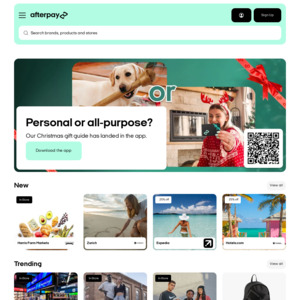
Update your AfterPay app to the latest version. Click on "Deal Drop" banner after logging in.
You will then see your targeted offers ranging from $5 off entire order to $20 off specific retailers.
You must activate/claim these offers in-app. Limited claims - no info on total.
Eligible customers can claim the offer by downloading the app (make sure you have version 1.3.1), clicking on the link in the email or clicking on the Deal Drop banner on the homepage in the app. From there, tick each offer that you want to claim. Once claimed and the offer is ‘ticked’ then it will be automatically applied at checkout when using Afterpay online or in-store, exclusions apply. The discount will be applied to the total purchase price as displayed in the Afterpay order confirmation, not the retailer’s checkout page. The offer must be claimed and redeemed by 11:59PM NZDT on 28/07/2026.
There is a minimum spend specific to each offer. Click on the offer in the app to find out the minimum spend to claim the promotional discount.
Promos run from 8:01AM 14-Jul-26 to 11:59PM 28-Jul-26 NZDT.
The offers are valid at participating New Zealand Afterpay retailers. Exclusions apply, please refer to https://www.afterpay.com/en-NZ/offer-terms for the full list of exclusions.
These offers are available for both online and in-store purchases made with Afterpay.


$20 off Noel Leeming and $20 off Warehouse (min 80 spend)