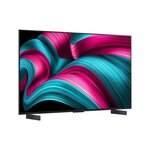

All time low at $1,699. Free Shipping too.
I've been using the C2 42'' as a PC monitor for a few years and it's been amazing. Highly rate it.


All time low at $1,699. Free Shipping too.
I've been using the C2 42'' as a PC monitor for a few years and it's been amazing. Highly rate it.

I use a C4 42" as my main monitor, text fringing is not an issue if you set up your OS correctly, plenty of guides to do this exist.
Epic thanks mate. Maybe I will give it a shot :)
Does it support VRR?
Yes, I have a LG C4 42" best PC monitor ive ever used. do your research on how to set it up as a PC monitor and youll never be able to go back
I've had my C2 42" as main monitor for a few years and it's really great, got mine just under $1200.
Why are people getting OLED TV's for screens when you can get utlra wide 34" OLED monitors for less? You really enjoy using a crazy big screen?
I’ve used large 40"+ 4K monitors (not TVs) for the last decade, but three years ago I switched to a 55" LG OLED as my main monitor, and it’s been fantastic. It’s wall-mounted on a cantilevered arm at the perfect ergonomic height, paired with a big extended Ergotron sit/stand cantilevered keyboard and mouse arm that can unfold to the ideal height and distance from the screen, then fold back snugly against the wall under the soundbar attached to the bottom of the TV mount. So, I am able to put my feet up on a tall footrest and watch TV comfortably on it as well.
34" would seem quite small to me these days. I had the first Dell 29" Ultrawide back in 2013.

34 ultra wide is my least favourite ‘monitor config’ I’ve had
For everything but games higher > wider!
You can get the 34" ultra wide experience with a 42" 4k, just use a cropped resolution
I guess you're all effectively just wanting to "watch tv" at your desk. I'm either gaming or working at mine, and watching TV in my lounge where I have a proper surround sound speaker set up.
I have a high-end soundbar with surround speakers setup on mine with a 200w subwoofer. I am big and tall and my office chair is really comfortable and better for my back than the couch, which isn't made for people my size.
I do also have a dedicated home theatre speaker/projector setup. Sitting a metre away from the OLED also gets the proper benefit of the extra pixels of 4k for watching TV.
"High end soundbar" is a bit of an oxymoron. But I'm sure your projector setup is great.
@Jexla: Well yeah, I meant it wasn't just some basic unit. Sure, it doesn't hold up to my actual home theatre setup, but it is more than passable.
I went for a 34" ultra wide to the LG C4. to many games don't support ultra wide still, watching content sucks on it for the black bars. the 42 is slightly wider and just has the bonus of extra real estate above and below. If you feel like your missing ultrawide enough, heck its got an ultrawide mode and will give you some lovely black bars lol.
Its the best upgrade I've ever made alot of that is most likely due to it being OLED, but also the size is perfect.
Yeah but, I spent $1200 on my OLED utlra wide and $2700 on my 65" OLED TV.
Plus my monitors refresh rate is at least double what your TV's is.
each to there own, my pc struggles a bit to push past 144fps at 4k anyway
I'm thinking the 42 Samsung s90F on the EEP. I believe it uses the same panel. Could get it for around 1300 ish there
what code do you need to use to get it around 1300?
200 trade in, 5 percent off code and 50 dollar off code. Got both those codes from the email bot, check out the last big Samsung thread on here, if you haven't already, that's where I got the email deets from.
Another one to recommend this as a PC monitor!
Though I have the 48" and it's absolutely perfect.
Noel Leeming have joined the party but are giving a $250 gift card so brings it down to $1450 if you value the $250 as cash.
Was just about to post this too, even better! $1,450 is pretty dam good!
Thanks for sharing OP. I think the C2 @ 42 inches was the last 42 inch OLED panel that is not WOLED? Seems like from my research that most 42 panels are now WOLED (has text fringing for PC). I am thinking of getting the Samsung S90F 42 which i think is the same panel as this from the EEP store but the WOLED is holding me back! (and spending all the Xmas cash haha).