

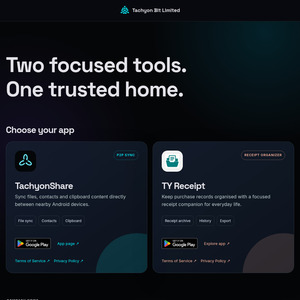
TachyonShare — local Wi‑Fi file sync, contact sync and clipboard sharing for Android
Hi everyone,
I’m the developer behind TachyonShare, a new Android app from Tachyon Bit Limited. This is our first public launch, and I’d really appreciate feedback from Android users in New Zealand.
TachyonShare lets you send files over Wi‑Fi and sync selected content directly between nearby Android devices. The devices pair by scanning a QR code and communicate through a direct peer-to-peer session over the same Wi‑Fi network or a phone hotspot. No byte of the transferred files, contacts or clipboard content is uploaded to the cloud or sent over the public internet; the content stays on the local connection between your paired devices.
What it can do
- Send files over Wi‑Fi between two Android phones for one-off transfers.
- Sync files between two Android phones using a selected local storage folder.
- Use Send mode for one-way transfers.
- Use Sync mode for two-way folder comparison and synchronization.
- Resume interrupted transfers instead of starting again from the beginning.
- Compare file states and identify identical, modified, local-only and peer-only items.
- Sync contacts between paired Android devices.
- Share clipboard content through the same peer-to-peer session.
- Transfer content directly between the devices without using a cloud relay for the actual file, contact or clipboard content.
- Pair devices using a QR code instead of manually entering connection details.
Useful for
- Sending photos, videos or documents between Android phones over local Wi‑Fi.
- Synchronizing a working folder between two nearby Android devices.
- Moving selected files between a phone and another Android device without using a USB cable.
- Keeping contacts or clipboard text available on another paired Android device.
- Transferring data when mobile data or internet access is unavailable.
Important limitations
- TachyonShare currently supports Android devices.
- Both devices need to be connected to the same local Wi‑Fi network or compatible phone hotspot.
- It is designed for nearby peer-to-peer synchronization, not cloud backup or remote internet synchronization.
- Android permissions may be required for files, contacts and camera-based QR pairing.
The app is available on Google Play:
https://play.google.com/store/apps/details?id=com.tachyonbit…
Website:
https://www.tachyonbit.com/apps/tachyonshare/
The current Google Play listing contains the latest trial and prepaid subscription details.
I’d especially appreciate feedback about:
1. Whether QR pairing is clear and easy to use.
2. Whether Send mode and Sync mode are easy to understand.
3. Which Android devices and Android versions you tested.
4. Any problems with Wi‑Fi hotspots, file permissions or contact synchronization.
5. Which additional content you would like to sync between Android devices.
Thanks for taking a look. This is the first public release, so practical feedback would be very helpful.
Thanks,
John
whats the main draw of your app? it seems similar to LocalSend which is open sourced and without any subscriptions