
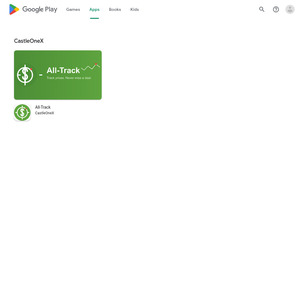
Hi, my wife pushed me to create this app to track and compare prices. It's called All-Track and you can find it on the Play Store (Android only).
It's super simple: just go to the product page of the item you want to track, tap the red button, and confirm. That's it!
The app will notify you if the price drops (make sure to enable automatic checks).
I hope it helps you, it's completely free.
Android App for Track Prices Alerts (All-Track)
Related Stores
Comments

Pns: e.g. Oat milk price $4.59, your app says $459.

That's usually because the tracker is grabbing the price from the search results page instead of the actual product page.
The search pages sometimes show prices in cents (like "459" instead of "$4.59"), which is why you're seeing $459 for the oat milk
Quick fix:
Just click into the actual product page first, let it load, then hit the 🎯 button. That should grab the right price ($4.59).Thanks for catching that btw, really helpful to know what's tripping people up!

Yesterday this just kept opening the links in my default browser, did you fix this in the update or was it my fault?

Apologies for the delay (I was on leave). Yes, I've fixed this—the app now opens the link internally. You need update from play store.

I also created a price tracking app and I have yet to put it on the playstore (theres potential legality issues with price scraping as it's against the T&C's of some sites). Anyway it's very very complex to get working correctly price scraping doesn't always work. I created a work around but that doesn't always function well either. Well done you.

That’s awesome, mate. It’s definitely a complex task. Feel free to give the app a spin and send some feedback our way (dev to dev). We’ve tested it across plenty of websites and it’s working well, everything from Tesla to eBay, and obviously the local chains like PnS and New World…

Thanks for sharing your app. How's the battery life drain with this app running in the background, doing periodic checks? I'm not a software dev but I do dabble here and there, and as far as I know, apps will hold wakelocks to keep themselves alive in the background. This is especially important when you deal with certain phones and their ROMs, as some are pretty aggressive at killing apps. So if you're doing push notification or periodic checks, then I imagine it'd impact the battery health slightly. I've seen apps similar to this before and never really used them because I prefer having the tracking done in a container running in the cloud, or running on my Mac Mini with M4 chip, which is super efficient and since it's plugged in all the time, battery life wouldn't matter much. Whereas on Android, presumably you'd be running on your phone and that wouldn't be ideal unless you keep your data enabled 24/7 on it.
Also, perhaps you could add custom intervals for the periodic checks? For example, 15 mins, 30 mins, 45 mins, 60 mins are the presets and also have a custom field that allows users to define their own check intervals.

Yes, we've spent months optimizing the battery performance on Android. It drains just 1% per 24 hours of background checks. We suggest setting the automatic update to a 12 or 24-hour interval; since stores typically maintain their prices for a few days, 24 hours is a great balance.

I can't answer for CastleX's app but my app which is quite similar and has similar functionality, (runs on android), has 'auto check' intervals. Currently I have it set to check prices of various items one time per day and the battery usage is absolutely minimal - so small that it's irrelevant. The app obviously has a background function which triggers an auto price check on a time frame. So all it's doing is monitoring the system time in the background and at certain times running a price check.

Is your app on Play Store? I'm keen to try it out. If not on the Play Store, I can just sideload it as well if you can provide the APK.

Actually, that’s a solid shout. It’d be a great idea to add a setting so users can customize the check intervals themselves. That way, if someone prefers to run checks every 2 or 3 days, they have the option.

Also, does it have to rely on Play Store being enabled?
I like to have full control on my Android device, which means I tend to disable apps that I don't need to prevent them from running in the background. It saves me the trouble of configuring app ops permissions and other things like that. I have automations to automatically launch and disable apps and Play Store is one of those apps that gets automatically disabled. Because of this, I can't use certain apps that rely on it, unless I enable Play Store. Typically, they rely on it to do license checks, but since your app is free, is this required?

Check Yr Pm's………

Yes, you’ll need to use the Play Store to download All-Track, as it’s the official and secure way to get apps (in fact, we never recommend downloading apps from any other source for security and control reasons). What you could do is enable the Play Store, download All-Track, and then disable it again, but that’s just a suggestion.

Hi,
I think you misunderstood my comment. I was referring to this:
https://imgur.com/a/xxYRF6KIf I disable Play Store, I can't use your app properly because of the above message. My question was, why does it rely on Play Store to be enabled? Normally, it's for license checks, but your app isn't doing that because it doesn't require a license.

@NovaAlpha: Oh, I see. Yeah, even though All-Track is free, the standard for Android apps is to run a security scan when you open them, and that scan relies on Google Play Services. To use All-Track, you'll need to enable that service. It's an Android security requirement that’s out of our hands. We are considering the option of distributing a signed APK, but that’s still under evaluation

@CastleX: By "security scan", do you mean Play Protect? That can be disabled in the settings of Play Store, so it shouldn't be doing any scans then?
And I have Play Store disabled 99% of the time and most of my apps (except for Textra and your app) work fine without them. I'm talking various different apps ranging from corporate enterprise level ones like Company Portal, Teams, to apps like ASB, Revolut, McDonalds, etc. I have apps that check for root (which I can hide and still run them on a rooted phone) and those don't even show that Play Store popup message. So it's rather puzzling to me why your app does that, especially when it doesn't even require user accounts or have any confidential data that should be secured.
I get the point of having security, but it doesn't make sense when even enterprise, corporate-level apps that costs millions of dollars don't have this problem with Play Store being disabled.
To clarify, I'm not disabling Google Play Services, I'm just disabling Play Store, which is mainly used to download apps and keeping apps up to date. I like to have full control of that process and prefer it to run when I want it to, not when it wants to. That's why I keep that disabled, among all my other apps that I don't need. I only enable them when I want them to.
Also, previously I mentioned that I suspect it's to do with a license check. I say this because I used to use this app called DeskSMS and I paid for the Pro license. The problem is that it would show the Play Store popup message and it really annoyed me. One day, I asked the dev if he could remove the need for Play Store to be enabled and just have an offline license check or use a different method somehow. He refused of course, which is understandable. But my problem is still there, so I ended up just reverse engineered the app and removed it and made it permanently Pro without having to do the license check. I feel like it's fine, since I actually paid and own a Pro license. The app continued to work fine without issues and without Play Store being enabled.

@NovaAlpha: The popup you're seeing isn't a manual 'Play Protect' scan we’ve initiated. It’s likely being triggered by the Play Integrity API (or a legacy License Verification library) integrated into our current build. Even if the app is free, these libraries often perform a 'handshake' with the Play Store app to verify the install source and ensure the APK hasn't been tampered with. When the Store is disabled, that handshake fails, and Android throws that generic system dialog.
You've made a fair point about enterprise apps skipping this for flexibility. As a smaller dev-team, we’ve relied on standard Google-provided libraries that, unfortunately, have this 'phone home' behavior baked in by default.
This is exactly why we are evaluating a standalone signed APK.
@CastleX: Thanks, makes sense. Perhaps the app might be better suited in Fdroid instead of Play Store?

All-Track https://play.google.com/store/apps/details?id=com.castleonex…